
Digital media is no longer limited to one device or one type of file. People move content between smartphones, laptops, tablets, car systems, smart TVs, and portable players every day. Because of this, choosing the right file format can make a noticeable difference in storage, compatibility, and overall usability.
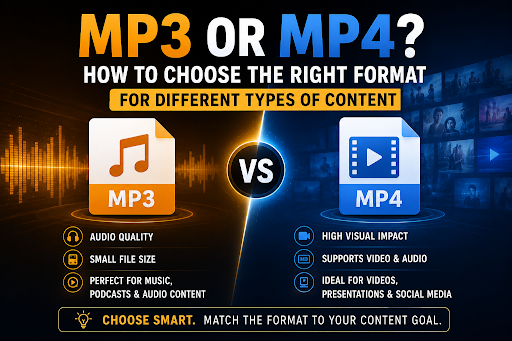
Two of the most familiar formats are MP3 and MP4. They are often mentioned together, but they serve different purposes. MP3 is designed primarily for audio, while MP4 is a multimedia container that can hold video, audio, subtitles, and other data.
The right choice depends on what part of the content actually matters. If the value is mainly in the spoken or musical audio, MP3 may be sufficient. If visual information is essential, MP4 usually makes more sense.
Understanding that difference helps users avoid saving unnecessarily large files or choosing a format that removes information they later need.
What Is an MP3 File?
MP3 is one of the most widely recognized digital audio formats.
Its popularity comes largely from its ability to reduce audio file size while maintaining reasonable sound quality. This makes MP3 practical for storing large audio collections, transferring files between devices, and listening without requiring large amounts of storage.
An MP3 file contains audio rather than video. That makes it useful when the visual part of a source is unnecessary.
Common examples include:
- Interviews
- Podcasts
- Public lectures
- Language-learning recordings
- Audio notes
- Music users are permitted to save
- Spoken educational material
If someone only wants to listen to a discussion while commuting, keeping the full video may not provide any additional value.
In that case, using an audio-only format can be more efficient.
What Is an MP4 File?
MP4 serves a broader purpose.
It is a multimedia container format capable of storing video and audio together. It can also support subtitles, images, metadata, and other media information depending on how a file is created.
MP4 is widely supported across modern devices and platforms, which is one reason it is commonly used for online video.
Unlike MP3, an MP4 file preserves visual information.
This matters for content such as:
- Software tutorials
- Cooking demonstrations
- Exercise videos
- Presentations with slides
- Product demonstrations
- Educational videos with diagrams
- Recorded events
- Visual training material
If understanding the material depends on seeing what happens on screen, converting it to audio alone may remove an important part of the experience.
The Main Question: Do You Need the Visuals?
The easiest way to choose between MP3 and MP4 is to ask whether the visual component adds meaningful information.
Consider an interview where two people sit and talk for an hour. If the listener is interested only in the conversation, an MP3 version may provide everything needed.
Now consider a tutorial explaining how to edit a spreadsheet. The presenter may say, “Click this option and move the setting here,” while demonstrating the process on screen.
Listening to that tutorial without the visuals could be confusing.
The same principle applies to many types of media.
Audio is enough when the value is primarily in sound. Video is necessary when actions, graphics, facial expressions, demonstrations, or on-screen information contribute to understanding.
Making this decision before conversion can prevent unnecessary downloads and repeated processing.
Why MP3 Is Useful for Spoken Content
Spoken material often works particularly well as MP3.
Lectures, interviews, discussions, podcasts, and speeches usually do not require continuous visual attention. People may prefer listening while driving, walking, exercising, or doing other tasks.
Audio files also make this type of content easier to organize.
Someone building a collection of educational recordings may be able to store significantly more material as MP3 than as video.
The smaller size can also make files easier to transfer between devices.
This helps explain continued interest in YouTube to MP3 tools. Many users are not necessarily looking for video. They simply want an audio version of supported public media that they have permission to convert.
However, users should always respect copyright, platform terms, and the rights of content owners when saving or converting media.
When MP4 Is the Better Choice
MP4 becomes more valuable when visual context matters.
A cooking tutorial is a good example. Instructions such as “mix until the texture looks like this” depend on seeing the actual result.
A repair video may show the exact location of a component that cannot be identified from narration alone.
An educational presentation may include graphs, formulas, diagrams, maps, or slides.
In such cases, removing the video defeats much of the purpose of saving the content.
MP4 may therefore be preferable for:
- Step-by-step demonstrations
- Visual lessons
- Technical walkthroughs
- Recorded webinars with slides
- Travel footage
- Product videos
- Fitness demonstrations
- Craft and design tutorials
The additional storage requirement is justified because the visual component carries useful information.
File Size Can Influence the Decision
One of the biggest practical differences between MP3 and MP4 is file size.
Video requires considerably more data than audio.
A long MP4 file, especially at higher resolutions, can occupy hundreds of megabytes or even several gigabytes. An MP3 version of the same duration may require much less storage.
This matters on devices with limited capacity.
Someone using a phone with little available space may prefer audio versions of content that does not require video.
The difference becomes even more important when saving multiple files.
A user maintaining a large collection of lectures or interviews could use a significant amount of storage by keeping everything in video format.
Choosing MP3 where appropriate can make media libraries easier to manage.
Audio Quality Still Matters With MP3
Choosing MP3 does not end the decision-making process.
Users may also need to select an audio bitrate.
Common options include 128kbps, 192kbps, 256kbps, and 320kbps.
A higher bitrate generally uses more data and can preserve more audio information. This is why YouTube to MP3 320kbps is a commonly searched phrase among users interested in higher-quality output.
However, the highest bitrate is not automatically the best choice for every file.
For speech, a moderate bitrate may already provide clear and understandable audio while keeping the file smaller.
For music or detailed audio, a higher bitrate may be more useful.
The quality of the original source is equally important. Converting low-quality audio into a 320kbps MP3 cannot restore information that was already missing.
Browser-Based Tools Make Format Selection Easier
Users no longer need advanced desktop software for every simple media-format task.
Browser-based services can make the process more accessible by presenting common choices in a straightforward interface.
A YouTube to MP3 Converter can provide options for working with supported public media directly through the browser, allowing users to choose between audio and video formats depending on what they actually need.
This simplified approach can be useful for people who do not want to configure complicated encoding settings.
Instead of choosing from dozens of technical options, users can focus on the most important questions:
Do I need audio or video?
What quality level is appropriate?
How much storage do I want the file to use?
Simple questions often lead to better format decisions than automatically choosing the largest or highest-quality option.
Device Compatibility Is Another Important Factor
Compatibility should also be considered before selecting a format.
MP3 has been supported by audio players for decades. It works on a wide range of smartphones, computers, car stereo systems, portable music players, smart speakers, and other devices.
MP4 is also broadly supported by modern hardware and software, particularly for video playback.
Problems can still occur with older devices or unusual encoding settings.
For example, an older audio system may play MP3 files without difficulty but may not support video formats at all.
On the other hand, modern TVs and mobile devices can usually handle MP4 easily.
Users should think about where the file will be played rather than choosing a format solely based on the device where it is downloaded.
MP3 Can Be Better for Background Listening
One advantage of audio-only files is that they fit naturally into background listening.
People often listen to podcasts, interviews, lectures, and discussions while performing other activities.
Watching video requires visual attention. Audio is more flexible.
This can make MP3 useful for content consumed during:
- Driving
- Walking
- Exercising
- Housework
- Commuting
- Studying
- General background listening
It also reduces the temptation to keep a screen active when the visual part of the content is unnecessary.
For users interested primarily in spoken information, audio can provide a more practical experience.
MP4 Makes More Sense for Visual Learning
Not everyone learns effectively from audio alone.
Visual learners often benefit from watching demonstrations, diagrams, animations, and on-screen examples.
A programming tutorial may show lines of code that need to be copied carefully. A design tutorial may explain subtle differences in layout or color. A mechanical repair video may show precisely where a tool should be placed.
Audio cannot preserve those details.
In these situations, the larger MP4 file provides greater practical value because it keeps both sound and visual information together.
The decision is therefore not simply about saving storage. It is about preserving the information required to understand the content.
Avoid Converting Files More Than Necessary
Another useful habit is to avoid repeated format conversions.
Every conversion can potentially affect quality, particularly when lossy formats are involved.
If an MP3 file is converted into another compressed audio format and then converted again, some quality may be lost at each stage.
The same principle applies to video.
Whenever possible, users should choose the required format once and keep an appropriate version rather than repeatedly converting the same file.
Planning ahead can also reduce storage clutter.
If only audio will be used, there may be little reason to save a large MP4 first and then create another version later.
If video is important, keeping the MP4 avoids having to return to the source.
Choosing the Format That Fits the Content
MP3 and MP4 are both useful, but they solve different problems.
MP3 is ideal when audio is the main source of value. It offers broad compatibility, manageable file sizes, and convenient listening across many devices.
MP4 is the stronger option when visuals contribute to understanding, entertainment, or instruction. Although video files require more storage, they preserve information that an audio-only format cannot provide.
The best choice therefore starts with the content rather than the technology.
For an interview, lecture, or spoken discussion, MP3 may be all that is needed. For a tutorial, presentation, demonstration, or visually detailed lesson, MP4 is usually the more sensible choice.
Users should also consider bitrate, source quality, storage capacity, playback devices, and permission to save or convert the media.
There is no need to choose one format for everything. Digital file management becomes much easier when each format is used for what it does best.