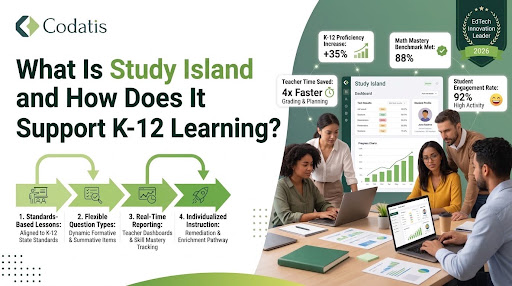
K-12 education increasingly relies on digital learning platforms to help students practice academic concepts, prepare for assessments, and build stronger foundational skills. One platform designed around these needs is Study Island, an online learning and assessment solution that provides standards-aligned practice for students across multiple grade levels and subjects.
For schools, teachers, and parents, platforms like Study Island can make it easier to identify learning gaps and provide students with additional opportunities to practice. Rather than depending entirely on traditional worksheets and classroom instruction, educators can use digital activities to give students more personalized practice.
In this guide, we will explore what Study Island is, how it works, its major features, subjects and grade levels, benefits for K-12 education, pricing considerations, login options, and how it compares with broader learning management systems.
What Is Study Island?
Study Island is an online educational platform created to provide K-12 students with standards-based academic practice. It offers learning activities, questions, assessments, and educational resources that can be used by students and teachers through a web-based environment.
The platform is designed to support core academic areas such as mathematics, English language arts, science, and social studies. Depending on the grade and subject, students can work through questions that reinforce concepts taught in the classroom.
One of the important characteristics of study islands is its focus on practice and assessment. Students can answer questions, receive feedback, and continue practicing areas where they need additional support. Teachers can also use student performance information to understand which concepts may require more attention.
How Does Study Island Work?
Study Island generally works by combining curriculum-based questions with interactive practice and assessment tools. Teachers can assign activities based on grade level, subject, standards, or specific academic skills.
Students then access their assigned work through their accounts. Depending on the school’s setup, students may use a dedicated login page or an application such as app.studyisland to access their learning environment.
A typical learning process can include:
- Teacher assignment – The teacher selects an activity, topic, or assessment.
- Student access – Students sign in through the appropriate Study Island platform.
- Practice – Students answer questions and work through assigned activities.
- Feedback – Results help students understand their performance.
- Progress monitoring – Teachers can review performance and identify areas that require additional instruction.
- Additional practice – Students can continue working on weaker skills.
This approach makes digital practice an extension of classroom learning rather than a complete replacement for teacher instruction.
What Subjects Does Study Island Support?
A major advantage of Study Island is its ability to cover multiple K-12 subject areas. Exact availability can depend on the grade level, school subscription, and curriculum requirements.
Common academic areas include:
Mathematics
Math practice can help students reinforce skills such as arithmetic, algebra, geometry, measurement, and other grade-specific concepts.
Repeated practice can be particularly useful in mathematics because students often need to master foundational skills before moving to more advanced topics.
English Language Arts
English language arts activities can support reading comprehension, grammar, vocabulary, writing-related concepts, and other language skills.
Students can use digital questions and exercises to practice concepts introduced by their teachers.
Science
Science content can provide opportunities for students to review topics related to life science, physical science, earth science, and other grade-level concepts.
Social Studies
Students may also encounter activities covering areas such as history, civics, geography, and related social studies concepts.
The availability of specific subjects and standards can vary, so schools should review the curriculum options available under their particular subscription.
How Does Study Island Support K-12 Learning?
The main purpose of Study Island is to provide students with additional academic practice while giving educators tools for monitoring performance.
1. Standards-Based Practice
Standards alignment can help schools connect digital practice with classroom learning objectives. Teachers can select activities that correspond with concepts students are expected to understand at their grade level.
This can make the platform useful for reinforcing lessons that have already been taught.
2. Personalized Practice
Not every student learns at the same speed. Some students may understand a concept immediately, while others need several additional attempts.
Digital practice allows students to spend more time on areas where they need support. This can create a more flexible learning experience than giving every student exactly the same amount of practice.
3. Immediate Feedback
Feedback is an important part of effective learning. When students know whether an answer is correct or incorrect, they can identify mistakes and review concepts.
Instead of waiting for a teacher to grade every worksheet, students can receive digital feedback while completing activities.
4. Progress Monitoring
Teachers need reliable information about student performance to make informed instructional decisions. Study Island can provide performance information that helps educators identify strengths and potential learning gaps.
This information can complement classroom observations, quizzes, assignments, and other assessment methods.
5. Assessment Preparation
Students often need practice with different types of academic questions before standardized assessments. Study Island’s standards-focused activities can provide additional opportunities for students to become comfortable with academic question formats.
However, digital practice should generally be used alongside quality classroom instruction rather than as the only method of test preparation.
What Is the Study Island App?
Students and educators may also search for terms such as study island app, app study island, or study.island when looking for ways to access the platform.
The exact access method can depend on the device, school configuration, and platform version available to the institution. In many cases, students can access Study Island through a web browser rather than relying exclusively on a standalone mobile application.
If your school provides specific instructions for accessing the platform, students should follow those instructions because login URLs and account configurations can differ between educational organizations.
How Does Study Island Login for Student Access Work?
Students commonly need school-provided credentials to access their learning activities. Searches such as study island login for students generally indicate that a student is looking for the correct sign-in page.
The typical process involves:
- Opening the school’s Study Island access page.
- Selecting the appropriate student login option.
- Entering the username or other credentials.
- Accessing assigned activities and learning resources.
- Reviewing progress and completing available assignments.
Students may also search for study island sign in when trying to access their accounts.
If login information is unavailable, students should contact their teacher or school administrator rather than creating an unrelated account.
Understanding Study Island Cost
The study island cost can vary depending on factors such as the type of subscription, number of students, school requirements, grade levels, and services included in an education package.
Educational software pricing is often different for individual users and institutions. Schools may purchase licenses based on student enrollment or other arrangements.
Because pricing can change, schools should confirm current pricing directly with the provider before making a purchasing decision. When evaluating cost, administrators should consider more than the subscription price.
Important factors may include:
- Number of students supported
- Available subjects and grade levels
- Teacher tools
- Assessment features
- Reporting capabilities
- Curriculum alignment
- Customer support
- Integration requirements
- Administrative features
A platform’s overall value depends on how well these capabilities match the school’s instructional goals.
Study Island Reviews: What Should Schools Evaluate?
People searching for study island reviews often want to know whether the platform is appropriate for their students and teachers.
Instead of relying only on star ratings or individual opinions, schools should evaluate the platform according to their specific requirements.
Important questions include:
Is the Content Appropriate?
Schools should determine whether the available curriculum matches their grade-level standards and instructional objectives.
Is It Easy for Teachers?
A useful platform should allow teachers to assign activities and review student performance without creating unnecessary administrative work.
Is It Accessible for Students?
Students should be able to access their learning activities through supported devices and browsers with minimal technical difficulty.
Are Reporting Tools Useful?
Administrators and teachers should determine whether available reports provide enough information to understand student progress.
Does It Fit the School’s Budget?
The platform should be evaluated alongside the school’s available educational technology budget and other digital learning investments.
These factors provide a more meaningful evaluation than relying exclusively on online reviews.
Study Island LLC and the Platform’s Educational Purpose
Searches for study island llc may appear when users are trying to identify the company or organization associated with the platform.
For schools researching educational technology, it is important to distinguish the platform itself from third-party websites, unofficial login pages, or unrelated services using similar terminology.
When evaluating an education platform, schools should rely on official provider information for current product features, pricing, account access, and support.
Study Island Home and Student Access
The study island home experience is designed to provide users with access to their available learning resources. Once students successfully sign in, the interface can provide access to assignments, activities, progress information, and other resources depending on their account permissions.
A centralized home area can make it easier for students to understand what they need to complete.
For younger students especially, a simple navigation structure can reduce unnecessary distractions and allow them to focus on learning activities.
How Study Island LMS Fits Into Digital Learning
People may search for How Study Island LMS when comparing Study Island with broader learning management systems.
Study Island is primarily focused on academic practice, assessment, and standards-aligned learning resources. A traditional LMS, on the other hand, can provide a broader environment for managing courses, lessons, assignments, communication, files, grades, and other classroom activities.
This distinction is important when schools are selecting education technology.
A school may use a learning management system as its central digital classroom while using Study Island or a similar platform as a supplementary academic practice and assessment resource.
Therefore, Study Island does not necessarily need to replace an LMS. It can potentially complement the school’s existing digital learning environment.
Study Island vs. a Traditional LMS
A comparison between Study Island and an LMS can be easier when looking at their primary purposes.
| Feature | Study Island | Traditional LMS |
| Standards-based practice | Strong focus | Depends on platform |
| Academic question practice | Core capability | Varies |
| Student assignments | Supported | Core capability |
| Course management | More limited | Core capability |
| Teacher reporting | Supported | Usually supported |
| Communication | Depends on platform | Common feature |
| Content management | Education-focused | Broad |
| Assessment | Strong focus | Usually available |
| Classroom workflow | Supplementary | Often central |
Schools looking for Best LMS Software should therefore consider their complete instructional workflow rather than selecting a platform solely because it provides assessment or practice questions.
Benefits and Limitations of Study Island
Like any educational technology, Study Island can provide benefits while also having limitations.
Potential Benefits
- Provides additional academic practice.
- Supports multiple K-12 subject areas.
- Can reinforce classroom instruction.
- Gives teachers performance information.
- Supports standards-focused learning.
- Allows students to practice independently.
- Can supplement assessment preparation.
- Provides digital access to educational activities.
Potential Limitations
- Effectiveness depends on how teachers integrate it into instruction.
- Some students may need direct teacher support in addition to digital practice.
- Pricing and available features can vary by subscription.
- Schools may require other platforms for communication and complete course management.
- Digital learning should not completely replace hands-on teaching and classroom interaction.
The most effective approach is usually to combine technology with strong instruction, teacher guidance, student interaction, and appropriate assessment strategies.
Is Study Island Useful for K-12 Schools?
Study Island can be useful for schools that need a digital environment focused on academic practice, assessment, and standards-aligned learning.
Its value depends on the school’s curriculum, technology infrastructure, teacher requirements, student needs, and budget.
For example, an elementary school may use digital practice to reinforce foundational math and reading skills, while a middle or high school may use subject-specific activities to provide additional practice and assessment preparation.
The platform can also be useful when teachers need additional information about student performance beyond traditional classroom assignments.
Conclusion
Study Island provides a digital approach to K-12 academic practice by combining standards-focused content, student activities, assessment opportunities, and progress monitoring. It can help teachers provide additional practice while giving students opportunities to reinforce concepts learned in the classroom.
Students may encounter terms such as study islands, student island, learning island, study island login for student, and study island sign in when searching for the platform or related learning resources. Understanding the difference between official access points and unrelated search results is important when using educational software.
FAQ’s
What is Study Island used for?
Study Island is used to provide K-12 students with digital academic practice, assessments, and standards-aligned learning activities across different subjects.
Is Study Island an LMS?
Study Island includes learning and assessment functionality, but it is more specifically focused on academic practice and standards-based learning. A full LMS generally provides broader course management, communication, content management, and classroom workflow capabilities.
How do students access Study Island?
Students typically access the platform through a school-provided account and the appropriate Study Island sign-in page. Schools may provide specific login instructions.
Is there a Study Island app?
Users may search for a study island app, but access options can depend on the current platform and school configuration. Students should follow the access instructions provided by their school.
How much does Study Island cost?
The study island cost can vary based on the subscription, number of students, grade levels, and features required. Schools should verify current pricing with the provider.
What subjects does Study Island cover?
Study Island can support multiple K-12 subjects, including areas such as mathematics, English language arts, science, and social studies. Exact content availability can vary.
Are Study Island reviews useful?
Yes, but reviews should be considered alongside factors such as curriculum alignment, teacher usability, student accessibility, reporting tools, support, and pricing.
Can Study Island replace a traditional LMS?
Study Island and a traditional LMS generally serve different purposes. Study Island can provide academic practice and assessment, while an LMS typically manages broader classroom and course activities.