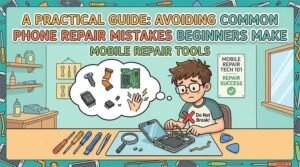
Phone repair may appear straightforward, but it demands patience, specialized tools, and precision. Many beginners rush into repairs without understanding the risks, often causing secondary damage rather than fixing the issue. This DIYPHONE guide identifies common novice mistakes to help you improve repair quality and build operational confidence.
Skipping Data Backup Before Repair
One of the biggest mistakes beginners make is starting a repair without backing up critical data. It is a common misconception that simple hardware fixes won’t affect storage; however, unexpected issues during the process can lead to the permanent loss of photos, contacts, and personal files.
Solution: Always perform a full backup before disassembly to ensure data integrity.
Using the Wrong Tools
Using low-quality or incorrect tools is a frequent pitfall. Smartphones are precision instruments. Using mismatched screwdrivers or metal pry tools can strip screws, scratch components, or damage internal parts.
Solution: Use dedicated tools such as Precision screwdriver sets, plastic spudgers, and suction cups. Utilizing equipment like an Intelligent heating screen separator facilitates smoother repairs and reduces the risk of damage.
Not Disconnecting the Battery
Failing to disconnect the battery is a critical error. Even when a phone is powered off, certain circuits remain energized. Operating on the device in this state can cause short circuits or permanent hardware failure.
Solution: Power down the device completely and prioritize disconnecting the battery immediately after opening the casing.
Mixing or Losing Screws
Phones contain numerous microscopic screws of varying lengths and thread types. Beginners often mix these up or lose them during disassembly, making reassembly difficult and risking internal damage if a long screw is driven into the wrong hole.
Solution: Use a magnetic screw mat to organize and track the exact placement of every screw for a safer reassembly.
Applying Too Much Force or Overheating
Beginners often struggle with pressure control or apply excessive heat to quickly soften adhesives. Both can be fatal to the device: too much pressure can snap flex cables, while high temperatures can damage the display or surrounding sensors.
Solution: Use a temperature-controlled Screen heating pad to apply steady, safe heat. If a component feels stuck, it usually requires more patience, not more force.
Ignoring Static Electricity
Electrostatic discharge (ESD) is often overlooked but can destroy sensitive internal components. A tiny discharge, fail to felt by the technician, can fry the motherboard or IC chips.
Solution: Work in an ESD-safe environment and take anti-static precautions before touching any internal components.
Skipping Testing Before Reassembly
Novices often fully seal the device before testing. If a function fails, the phone must be disassembled again, increasing the risk of secondary damage to the frame or adhesive.
Solution: Test core functions—including the camera, display, touch response, and audio—before final sealing.
Conclusion
Avoiding these mistakes is essential for successful repairs. By preparing thoroughly, using the professional Phone repair tools, and handling components with care, beginners can significantly mitigate risk. As your attention to detail grows, so will your efficiency and confidence in handling complex hardware failures.