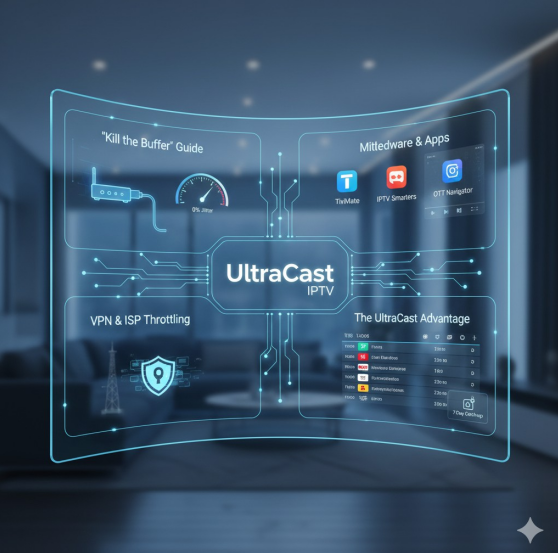
Buffering is not an inherent flaw of IPTV; it is a symptom of technical bottlenecks. To achieve 0% buffering with UltraCast IPTV, we must address the “Last Mile” connectivity issues
1.1 Beyond the Wi-Fi Barrier
While Wi-Fi 6 and 6E have improved throughput, wireless signals are subject to “Radio Frequency (RF) Interference” and “Physical Obstruction.” For 4K UHD streaming, which requires a consistent bitrate of 25-50 Mbps, a hardwired Cat6 Ethernet connection is the gold standard. Ethernet eliminates “Jitter”—the variance in packet arrival time—which is the leading cause of micro-stuttering during live sports.
1.2 Router Configuration: QoS and DNS
Your router is the traffic controller of your home. To optimize it for UltraCast IPTV, follow these steps:
- Qualityof Service (QoS): Enable QoS settings in your router dashboard to prioritize the MAC address of your streaming device (Firestick, Shield, or Smart TV). This ensures that a large download on another device doesn’t “starve” your stream of bandwidth.
- DNSOptimization: Many ISPs use slow or restrictive DNS Switching to Google DNS (8.8.8.8) or Cloudflare (1.1.1.1) can reduce the “Time to First Byte” (TTFB), making channel switching nearly instantaneous.
Section 2: Middleware & App Comparisons – The Software Engine
The “Player” you choose is the middleware that decodes the raw stream. Not all apps handle MPEG-TS or HLS streams with the same efficiency.
2.1 TiviMate: The Power User’s Choice
For those using Android-based devices, TiviMate is widely considered the best interface for UltraCast IPTV. Its ability to handle massive M3U playlists without lagging and its support for “Hardware Decoding” makes it the smoothest experience for navigating 20,000+ channels.
2.2 IPTV Smarters Pro & OTT Navigator
While Smarters is the most famous for its user-friendly UI and “Multi-Screen” capabilities, OTT Navigator offers deeper technical customizations, such as manual “Jitter Buffer” adjustments. These settings allow you to pre-load a few seconds of the stream into the device’s RAM, providing a cushion against minor internet fluctuations.
Section 3: Bypassing Barriers – VPNs & ISP Throttling
A major technical challenge in 2025 is “Deep Packet Inspection” (DPI). Some Internet Service Providers (ISPs) identify the signature of IPTV traffic and artificially limit its speed—a process known as throttling.
3.1 The Encryption Shield
By using a high-speed VPN with WireGuard protocol, you encapsulate your traffic in an encrypted tunnel. This prevents the ISP from seeing what you are streaming, thus bypassing their throttling filters. UltraCast IPTV is fully compatible with major VPN providers, ensuring that your 4K stream remains unthrottled even during peak hours.
Section 4: The “UltraCast Advantage” – EPG and Catch-up Stability
The backbone of a premium service is its metadata and server-side storage. UltraCast IPTV
excels here by offering a robust XMLTV-based Electronic Program Guide (EPG).
4.1 EPG Synchronization
Most budget providers have “Empty EPG” issues. UltraCast utilizes dedicated EPG servers that sync every hour, ensuring you have accurate data for international channels. This synchronization is crucial for the “Catch-up” feature, which allows users to access past broadcasts. This is not stored on your device but on the UltraCast cloud servers, requiring massive server-side bandwidth and storage management.
Section 5: Troubleshooting Common Lifecycle Issues
Even with the best tech, issues can arise. Here is the technical fix-list:
- Code 401/403 (Unauthorized): Usually a sign of an expired link or a MAC address mismatch.Ensure your subscription is For uninterrupted service, the UltraCast IPTV 12 Month Subscription is the best way to ensure your credentials remain valid and your port remains open on the high-priority server.
- Audio/VideoOut of Sync: This is often a “Hardware Acceleration” Switching from “Hardware” to “Software” decoding (or vice versa) in your app settings usually resolves this.
Section 6: The Future – H.265 (HEVC) and Beyond
As we move toward 8K, UltraCast IPTV is leading the transition to HEVC (High-Efficiency Video Coding). This codec allows for the same visual quality at half the bitrate, making 4K streaming possible even on modest 15-20 Mbps connections.