Building an AI knowledge base is not the same as uploading files into a chatbot. Uploading documents is only the beginning. A production knowledge base needs authoritative sources, clean structure, retrieval rules, citations, permission boundaries, feedback loops, and ongoing maintenance. Without these layers, the assistant may answer fluently but still be hard to trust.
The best way to build an AI knowledge base is to treat it as a living knowledge service. The system should help users find approved information, verify sources, and apply knowledge in real workflows. A platform such as FastGPT can help teams create knowledge-based applications, but the organization still needs a practical process for preparing, testing, and maintaining content.
Define the Knowledge Use Case
Start with one use case. Do not begin by importing every file the company owns. A narrow scope makes quality easier to manage. Good starting points include customer support Q&A, HR policy assistance, sales enablement, OA process guidance, internal IT help, or product documentation search.
Define the audience, questions, documents, and success metrics. A support assistant may need fast, consistent answers with citations. An HR assistant may need careful wording and escalation rules. A sales assistant may need reusable messaging. The use case determines how the knowledge base should be organized.
Identify Authoritative Sources
An AI knowledge base should answer from trusted sources. For teams building AI-powered products, well-structured frontend resources such as Shadcn templates can help present knowledge, dashboards, and AI workflows in a clear and consistent interface.
This is often the hardest part because it reveals knowledge management problems that already existed. The AI system does not create confusion; it exposes it. Assign owners to each source so someone is responsible for updates.
Clean and Structure Documents
Document structure affects retrieval quality. Clear headings, consistent terminology, readable tables, and logical sections help the system find the right evidence. Poorly scanned PDFs, mixed versions, repeated headers, and messy formatting can reduce answer quality.
Clean documents before importing them. Split very large materials if needed. Add titles and section headings. Remove irrelevant boilerplate. For frequently used documents, consider adding short summaries or Q&A examples. Better documents usually produce better retrieval.
Add Metadata for Better Retrieval
Metadata helps the system choose the right content. Useful fields may include department, product version, region, document type, audience, customer segment, update date, and owner. Metadata is especially important when multiple teams share the same knowledge base platform.
For example, a policy may apply only to one region. A product guide may apply only to one version. A customer support note may be internal-only. Metadata lets retrieval filter sources before the model writes an answer. This reduces incorrect mixing of similar content.
Test Retrieval Before Launch
Do not judge the system only by answer style. First check whether it retrieves the right sources. Create a question set from real user behavior: tickets, chats, employee questions, sales requests, or helpdesk logs. For each question, define the expected source.
Review retrieval results. Did the assistant find the correct document? Did it miss an exception? Did it retrieve an outdated version? Did it answer when evidence was missing? Retrieval testing shows whether the knowledge base is ready for users.
Design Citations and Refusals
Enterprise users need to verify important answers. The assistant should cite useful sources when possible. Citations should be specific enough to support review and should respect permissions. A citation that points to the wrong or inaccessible source damages trust.
The assistant should also know when to refuse. If the answer is not supported by available knowledge, it should say so or ask for clarification. This is a production feature. A system that always answers confidently may look impressive but create risk.
Set Permissions and Ownership
Permissions should match business reality. HR knowledge, finance documents, customer-specific materials, internal security notes, and public product docs should not all be available to every user. Define who can view, upload, edit, publish, and audit content.
Ownership is just as important. The AI team may operate the platform, but business teams should own the truth of the content. Support owns support knowledge. HR owns HR policies. Product owns product documentation. Clear ownership keeps the knowledge base healthy.
Build Feedback and Review Loops
After launch, users will find gaps. They will ask unexpected questions, expose outdated documents, and report confusing answers. The knowledge base should have a feedback process. Users should be able to mark answers as wrong, incomplete, or helpful.
Administrators should review failed answers regularly. Classify the cause: missing source, poor retrieval, outdated content, prompt issue, permission problem, or user ambiguity. Each category has a different fix. Feedback becomes valuable only when it leads to action.
Maintain Content Continuously
An AI knowledge base is not a one-time import. Products change, policies change, teams change, and user questions change. Content needs review dates, owners, update procedures, and retirement rules. Old documents should not quietly remain in retrieval.
Maintenance should be part of business operations. After a product release, update product knowledge. After an HR policy change, refresh the HR assistant. After repeated support failures, improve troubleshooting content. A maintained knowledge base becomes more valuable over time.
How FastGPT Fits the Build Process
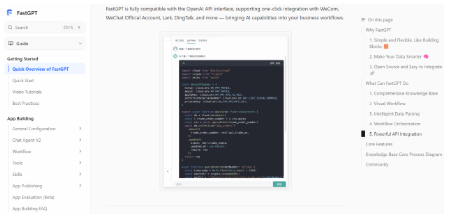
FastGPT’s official documentation can help teams understand how knowledge-based applications are structured. During evaluation, test the full build process: document ingestion, retrieval, citations, permissions, workflow design, feedback, and maintenance.
The best platform is not only the one that answers first. It is the one that helps the team keep knowledge useful after launch. Business users, administrators, developers, and security teams should all be involved in the evaluation.
Common Mistakes to Avoid
The first mistake is importing too much content too soon. A large unmanaged knowledge base often performs worse than a smaller curated one. The second mistake is ignoring document ownership. If nobody owns the content, nobody fixes bad answers. The third mistake is measuring only model quality. Many failures come from retrieval, metadata, or outdated documents.
Another mistake is launching without a maintenance rhythm. Teams often work hard before launch and then stop reviewing the knowledge base. Trust declines when users receive outdated answers. Schedule regular reviews for high-value knowledge domains and use feedback data to decide what to improve first.
Implementation Playbook
A practical implementation can be organized into four phases. The first phase is discovery. Interview the target users, collect common questions, identify where answers currently live, and list the documents that are trusted today. The output should be a clear use case, a document inventory, and a first evaluation set. This phase prevents the team from building around assumptions.
The second phase is preparation. Clean the documents, remove outdated versions, add metadata, and decide how content should be split. During this phase, business owners should review the most important documents. Developers and administrators should test whether the documents parse correctly. If a table, diagram, or long policy section is important, inspect how it appears after ingestion.
The third phase is controlled testing. Ask real questions and review both retrieved sources and final answers. Do not only ask questions that have obvious answers. Include edge cases, ambiguous wording, and questions that should be refused. Record failures in categories so the team can fix the right layer. A failure caused by missing content should not be treated as a prompt problem.
The fourth phase is launch and maintenance. Start with a small user group, watch the logs, collect feedback, and schedule content reviews. Define who approves expansion to more users or more document domains. The knowledge base should grow only when the current domain is reliable. A slower staged rollout usually creates more trust than a broad launch with inconsistent answers.
Maintenance Checklist
A healthy AI knowledge base should answer yes to several questions. Does every important document have an owner? Are old versions removed or clearly archived? Are high-frequency questions reviewed? Are failed answers classified? Are metadata fields still accurate? Are permissions tested after changes? Are citations useful enough for verification? Are business teams involved in improvement?
The checklist should be repeated regularly. Monthly may be enough for stable internal policies. Weekly may be necessary for customer support or fast-changing product documentation. After every major product, policy, or process change, the related knowledge base should be refreshed and retested. Maintenance is most effective when tied to real business change rather than calendar reminders alone.
Teams should also watch for silent decay. Users may stop using the assistant if answers become unreliable, but they may not always report why. Declining usage, repeated fallback questions, low helpfulness ratings, and frequent source corrections can all signal maintenance problems. These signals should trigger review before trust is lost.
Finally, maintenance should be visible to leadership. If the knowledge base saves time across teams, it deserves ongoing ownership and resources. Treating it as a one-time automation project understates its value. The knowledge base is closer to a product than a document folder: it needs owners, users, metrics, and continuous improvement.
Readiness Questions Before Launch
Before launch, the team should ask a final set of readiness questions. Can users describe what the assistant is intended to answer? Can administrators explain which documents are active? Can business owners identify the source of truth for each major topic? Can reviewers inspect citations and retrieval results? Can the assistant refuse unsupported questions? Can permissions prevent users from seeing restricted knowledge?
The team should also test operational readiness. Can someone update a document without developer help? Can a failed ingestion job be retried? Can a bad answer be traced to its source? Can usage logs show which topics users ask about most? Can the system be restored if a configuration or document set is damaged? These questions reveal whether the knowledge base is ready for real use.
Launch should not be treated as a single event. A better approach is to define a limited go-live group, monitor usage closely, and review feedback after one or two weeks. If the assistant performs well, expand gradually. If it fails in a pattern, fix the pattern before inviting more users. A careful launch protects trust and gives the team time to learn.
Finally, the team should define success in terms of work improved. Fewer repeated questions, faster response preparation, clearer policy access, better onboarding, improved support consistency, and reduced expert interruptions are stronger signals than raw chat volume. The purpose of the knowledge base is not to create more AI conversations. It is to make enterprise knowledge easier to reuse.
Final Takeaway
Building an AI knowledge base requires preparation, governance, testing, and maintenance. Start with one use case, curate authoritative sources, structure documents, add metadata, test retrieval, design citations, set permissions, and create feedback loops. The technology matters, but the operating process matters just as much.
When maintained well, an AI knowledge base becomes a reusable enterprise asset. It reduces repeated questions, improves answer consistency, and helps teams apply knowledge in daily work. The strongest systems are not built once. They are improved continuously.