
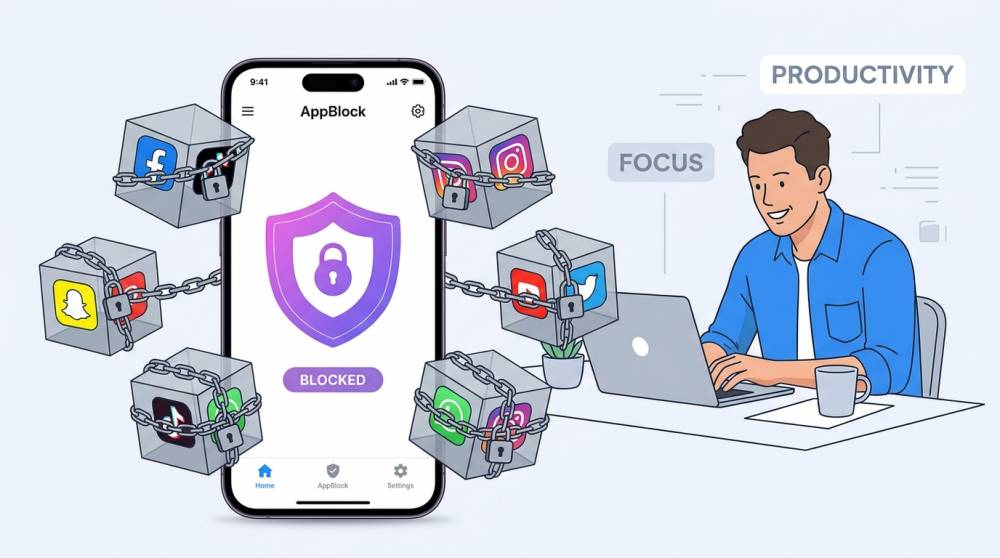
Smartphones have become essential tools for work, education, communication, entertainment, and everyday life. However, the same apps that make smartphones useful can also become major sources of distraction.
AppBlock is designed to address that problem.
Developed by MobileSoft s.r.o., AppBlock is an app and website blocker that helps users control screen time by restricting access to distracting applications, websites, social media platforms, and other digital content.
The Android application uses the package identifier cz.mobilesoft.appblock, which is why Android users may sometimes see that name in technical information, app permissions, device logs, or links associated with the application.
But what exactly is AppBlock? How does it work? Is AppBlock safe? Is it free? What is the difference between the free and Premium versions? And what does cz.mobilesoft.appblock mean?
This AppBlock review answers those questions and examines the platform's major features, pricing structure, privacy considerations, advantages, limitations, and use cases.
What Is AppBlock?
AppBlock is an app and website blocking tool designed to help people reduce distractions and manage their screen time.
The service allows users to block selected mobile applications, websites, URLs, keywords, and social-media services.
It can be used for different purposes, including:
-
Improving productivity
-
Studying
-
Reducing social-media use
-
Limiting screen time
-
Avoiding distracting websites
-
Digital detox
-
Building better smartphone habits
-
Blocking adult content
-
Creating focused work periods
AppBlock is available across Android and iOS, while browser extensions are also available for desktop environments.
The company behind AppBlock is MobileSoft s.r.o., a Czech software company that developed AppBlock originally as an internal productivity project. MobileSoft says the application was created because distractions from social media and notifications were affecting productivity within its own team.
Today, AppBlock has become a widely downloaded productivity application.
The current Google Play listing shows 10 million-plus downloads and a 4.7-star rating, with approximately 239,000 reviews.
What Does cz.mobilesoft.appblock Mean?
If you have encountered a technical reference such as:
cz.mobilesoft.appblock
it is the Android package identifier associated with AppBlock.
Android applications have unique package names that help the operating system identify individual apps.
In this case:
-
czrefers to the Czech Republic country-code namespace used in the identifier. -
mobilesoftidentifies the developer/company namespace. -
appblockidentifies the application.
Therefore, seeing cz.mobilesoft.appblock on an Android device generally indicates a reference to the AppBlock application.
It does not automatically mean that your phone has malware.
For example, an Android system message, browser component, file provider, application permission, or technical log may display the package identifier rather than the consumer-facing name "AppBlock."
What Is content://cz.mobilesoft.appblock.fileprovider/?
Some Android users may encounter an even more technical reference such as:
content://cz.mobilesoft.appblock.fileprovider/...
This is different from an ordinary web address.
A content:// URI is an Android content URI used by applications to provide access to files or other data through Android's content-provider system.
The portion:
cz.mobilesoft.appblock.fileprovider
identifies an AppBlock-related file provider.
If you encounter something such as:
content://cz.mobilesoft.appblock.fileprovider/cache/blank.html
it may look suspicious because it does not resemble a conventional website URL.
However, the structure itself is an Android-style local content reference rather than proof that someone has visited a malicious website.
The exact reason a particular blank.html file appears depends on the context in which Android or another application generated or opened it.
If AppBlock is installed on the device, its package identifier appearing in a local Android URI is consistent with the application's identity.
How Does AppBlock Work?
AppBlock works by allowing users to create restrictions around applications and websites.
Instead of relying entirely on willpower, users can establish rules that automatically prevent access to selected distractions.
For example, a student could create a schedule that blocks social-media apps during study hours.
A remote worker could block entertainment websites during working hours.
Someone trying to reduce phone usage could limit certain applications to a specific number of minutes per day.
The official AppBlock website currently promotes several major capabilities, including app and website blocking, allowlists, usage limits, reports, Quick Block, adult-content blocking, and multi-device support.
AppBlock Features
1. App Blocking
The basic purpose of AppBlock is to prevent access to selected applications.
Users can identify applications they consider distracting and create rules for when those applications should be unavailable.
Common examples include:
-
Social-media apps
-
Video platforms
-
Games
-
News applications
-
Shopping apps
-
Messaging applications
-
Entertainment apps
This can make AppBlock particularly useful for people who repeatedly open applications without intending to spend significant time on them.
2. Website Blocking
AppBlock is not limited to mobile applications.
It can also block websites, specific URLs, and keywords.
This is useful because simply blocking a social-media application may not solve the problem if the same service can be accessed through a browser.
AppBlock's current feature set allows users to create website and keyword restrictions as part of their blocking configuration.
3. Schedules
Scheduling is one of AppBlock's more useful features.
Instead of manually activating and deactivating restrictions, users can create schedules.
For example:
Work: 9:00 AM–5:00 PM
Study: 7:00 PM–10:00 PM
Sleep: 11:00 PM–6:00 AM
During those periods, selected applications and websites can automatically become inaccessible.
The free version has restrictions on the number and complexity of schedules, while Premium provides unlimited scheduling capabilities.
4. Usage Limits
Another important feature is usage limitation.
Rather than completely blocking an application, users can establish a maximum amount of time they are allowed to use it.
For example, you could limit a particular social-media application to 30 minutes per day.
This approach can be more practical for people who want moderation rather than complete restriction.
According to AppBlock's current Premium comparison, free users have limited usage-control capabilities, while Premium removes those limitations.
5. Quick Block
Quick Block is designed for situations where users want to start blocking distractions immediately.
Instead of creating a complicated schedule, users can quickly activate a blocking session.
This can be useful when:
-
Starting a study session
-
Beginning focused work
-
Reading
-
Exercising
-
Going to sleep
-
Taking a digital break
Premium provides greater flexibility and removes the limitations imposed on Quick Block in the free version.
6. Strict Mode
Strict Mode is one of AppBlock's more distinctive features.
The purpose is to make restrictions harder to bypass.
This matters because a simple app blocker may not be very effective if users can immediately disable the restriction whenever they feel tempted to access a blocked application.
AppBlock's Premium version provides additional Strict Mode options and access conditions, while the free version has limitations on duration and functionality.
Strict Mode can therefore be particularly useful for people who already know that they tend to override their own productivity rules.
7. Allowlist Mode
AppBlock also offers an allowlist approach.
Instead of selecting every application that should be blocked, users can identify the applications or websites they want to continue using and restrict everything else.
This can create a simplified smartphone experience similar to a "dumbphone" environment while still allowing access to essential services.
AppBlock currently describes Allowlist Mode as a feature for blocking everything except selected essential applications.
8. Screen-Time Statistics
AppBlock can provide statistics about application and website usage.
These reports can help users understand where their screen time is going.
For example, someone might discover that they spend substantially more time on a particular application than they realized.
That information can make it easier to establish realistic digital-wellness goals.
Premium provides expanded statistics compared with the free version.
9. Adult Content Blocking
AppBlock also offers adult-content blocking.
This feature can be used as part of a digital detox strategy, personal restrictions, or parental-control-related use cases.
The company lists adult-content blocking among its additional features.
10. Blocking Newly Installed Apps
Premium users can access additional controls designed to prevent newly installed applications from becoming an easy way to circumvent existing restrictions.
This can be particularly useful when someone is serious about maintaining a long-term blocking strategy.
11. Multi-Device Support
AppBlock has expanded beyond smartphone applications.
The service currently supports Android and iOS and provides browser extensions for desktop environments including Chrome, Edge, and Brave.
This is important because productivity problems do not necessarily disappear when a user moves from a phone to a computer.
Someone might block social-media applications on a smartphone but continue spending hours on the same platforms through a desktop browser.
Multi-device support addresses that gap.
Is AppBlock Free?
Yes, AppBlock offers a free version.
However, many advanced features are restricted or limited in the free version.
AppBlock also offers Premium subscriptions.
The current feature comparison shows that Premium provides substantially greater flexibility, including unlimited schedules, unlimited usage limits, unlimited Quick Block, expanded Strict Mode capabilities, backup, additional blocking features, and expanded statistics.
The exact subscription price can vary depending on the platform, region, promotion, and subscription option.
AppBlock currently offers monthly, yearly, and lifetime options through its website.
Therefore, users should check the current price displayed for their specific account and platform rather than relying on an old price published elsewhere.
AppBlock Free vs. Premium
| Feature | Free | Premium |
|---|---|---|
| App blocking | Yes | Yes |
| Website blocking | Yes | Yes |
| Schedules | Limited | Unlimited |
| Usage limits | Limited | Expanded |
| Quick Block | Limited | Unlimited |
| Strict Mode | Limited | Expanded |
| Allowlist | Limited/unavailable depending on platform | Yes |
| Statistics | Limited | Expanded |
| Backup | Limited/unavailable | Yes |
| Adult content blocking | Limited/unavailable | Yes |
| Newly installed app blocking | Limited/unavailable | Yes |
| Browser support | Available | Available |
The precise differences can change as AppBlock updates its products, so the company's current pricing and feature comparison should be treated as the authoritative source.
Is AppBlock Safe?
This is an important question because an application that blocks other applications and websites may require significant permissions.
AppBlock's Google Play listing says the application uses Android Accessibility services for content blocking.
Google Play's current data-safety disclosure states that the developer says the application may share certain personal and financial information with third parties and may collect personal, financial, and other data. It also says data is encrypted in transit and that users can request deletion of data.
These disclosures are important for anyone evaluating the application.
What should users consider?
Before installing any application that requires extensive permissions, review:
-
The permissions it requests
-
Its privacy policy
-
Google Play's Data Safety information
-
Its developer
-
Its update history
-
Reviews from users
-
Whether the requested permissions make sense for the app's purpose
AppBlock is developed by MobileSoft and is distributed through Google Play, where it currently has millions of downloads and a high user rating.
That does not mean users should ignore privacy considerations, but it does distinguish AppBlock from an unknown APK downloaded from an unverified website.
Is AppBlock Legit?
AppBlock appears to be a legitimate productivity application developed by MobileSoft s.r.o.
MobileSoft identifies AppBlock as one of its own projects and explains that the application originated as an internal productivity solution before being released to the public.
The application has also accumulated more than 10 million Google Play downloads and approximately 239,000 reviews at the time of this review.
Therefore, there is substantial evidence that AppBlock is an established application rather than an unknown or newly created app.
Nevertheless, legitimate does not mean risk-free.
Users should still review permissions, privacy disclosures, subscription terms, and data practices before using the application.
Who Should Use AppBlock?
AppBlock can be useful for several categories of users.
Students
Students can use schedules and blocking rules to reduce social-media and entertainment distractions while studying.
Remote Workers
People working from home can block distracting websites and applications during working hours.
Professionals
Professionals can create focused work periods without relying entirely on self-control.
People Reducing Social Media
Users who want to reduce time spent on TikTok, Instagram, Facebook, Reddit, YouTube, or other platforms can establish specific restrictions.
Digital Detox Users
People taking a digital break can use stronger blocking configurations to make the transition easier.
Parents
Some features may also be relevant to parents who want additional controls over digital content, although parents should understand exactly what the application can and cannot control before relying on it as a parental-control solution.
Advantages of AppBlock
Strong customization
Users can create different restrictions for different times, applications, websites, and circumstances.
Strict Mode
Strict Mode makes it harder to casually bypass restrictions.
Website and app blocking
The combination is more comprehensive than an app-only blocker.
Usage statistics
Statistics can help users understand their digital habits.
Multiple platforms
AppBlock extends beyond Android to iOS and desktop browsers.
Established developer
MobileSoft has been developing AppBlock for years and continues to update the application.
Disadvantages of AppBlock
Advanced features require Premium
Users who need extensive scheduling and strict restrictions may find the free version limiting.
Permissions can be significant
Because the application needs to control access to apps and websites, users should carefully consider the permissions and accessibility services it uses.
Restrictions can sometimes become inconvenient
A strict blocking configuration can prevent access when something genuinely important is needed.
Subscription considerations
Users should understand whether they are selecting a monthly, annual, or lifetime purchase and check the renewal conditions before subscribing.
It requires discipline during setup
An app blocker is only as useful as the rules a user establishes.
AppBlock for Productivity
One of the strongest reasons to use AppBlock is productivity.
The problem with digital distraction is often not that people intentionally decide to waste several hours.
Instead, distraction can happen through repeated small behaviors:
Open social media.
Check one notification.
Watch one video.
Open another application.
Check messages.
Return to social media.
Over time, these small interruptions can consume a significant portion of the day.
AppBlock attempts to create friction between the user and these distractions.
That can be especially useful when combined with a structured schedule.
For example:
9:00 AM–12:00 PM: Focused work
12:00 PM–1:00 PM: Break
1:00 PM–5:00 PM: Focused work
7:00 PM–9:00 PM: Personal time
10:30 PM onward: Reduced entertainment and social-media access
The goal is not necessarily to eliminate technology.
It is to make technology more intentional.
AppBlock vs. Built-In Screen-Time Tools
Modern Android and iOS devices already provide screen-time management features.
So why would someone need AppBlock?
The difference is primarily the level of specialization.
Built-in tools provide basic information and controls.
AppBlock focuses specifically on blocking and restricting digital distractions.
Its features such as schedules, Strict Mode, Quick Block, allowlists, website blocking, and expanded usage controls can make it attractive to people who want more granular control.
However, users who only need basic screen-time reports may find their phone's built-in tools sufficient.
Final Verdict: Is AppBlock Worth It?
AppBlock is a well-established productivity and digital-wellbeing application that provides considerably more control than a basic screen-time tracker.
Its strongest features include app and website blocking, schedules, usage limits, Quick Block, Strict Mode, allowlists, statistics, and multi-device support.
The free version can be useful for basic blocking, but users who want extensive scheduling, strict restrictions, unlimited blocking, and advanced controls will likely need Premium.
From a legitimacy perspective, AppBlock has a substantial presence on Google Play, is developed by MobileSoft s.r.o., and has accumulated more than 10 million downloads.
From a privacy perspective, users should still pay attention to the permissions and data-safety disclosures associated with the application. Google Play currently indicates that the developer may collect and share certain categories of data, while stating that data is encrypted in transit and that deletion requests are available.
Overall Rating
| Category | Rating |
|---|---|
| App Blocking | 9/10 |
| Website Blocking | 9/10 |
| Scheduling | 9/10 |
| Strict Mode | 9/10 |
| Productivity | 9/10 |
| Ease of Use | 8/10 |
| Free Version | 7/10 |
| Premium Features | 9/10 |
| Multi-Device Support | 8/10 |
| Privacy Transparency | 7/10 |
Overall: AppBlock is worth considering if your primary goal is to reduce digital distractions, control screen time, or create more structured periods for work and study.
The most important thing is to configure it around your actual habits rather than simply installing it and expecting the application to solve the problem automatically.
Frequently Asked Questions
What is MobileSoft AppBlock?
MobileSoft AppBlock is a productivity application developed by MobileSoft s.r.o. that allows users to block applications, websites, and other digital distractions.
What is cz.mobilesoft.appblock?
cz.mobilesoft.appblock is the Android package identifier associated with the AppBlock application.
Is cz.mobilesoft.appblock a virus?
The package name itself is not evidence of a virus. It is associated with the legitimate AppBlock application developed by MobileSoft.
Is AppBlock free?
Yes. AppBlock has a free version, although several advanced features are limited. Premium plans provide additional capabilities.
Does AppBlock block websites?
Yes. AppBlock supports website, URL, and keyword blocking.
Does AppBlock work on iPhone?
Yes. AppBlock offers an iOS version as well as Android support. It also offers browser extensions for desktop platforms.
What is AppBlock Strict Mode?
Strict Mode is designed to make it more difficult to bypass active blocking rules. Premium provides additional Strict Mode options and access conditions.
Is AppBlock safe?
AppBlock is an established application distributed through Google Play, but users should review its permissions and current data-safety disclosures before installation. Google Play currently reports that the developer may collect and share certain categories of data.
Who developed AppBlock?
AppBlock was developed by MobileSoft s.r.o., a software company based in the Czech Republic.