HTML - Lists
HTML provides web developers with three different ways of displaying lists holding data. All HTML lists must contain one or more list elements. Lists can contain:
1. <ul> : An unordered list. This will display items in lists using plain bullets.
2. <ol> : An ordered list. This uses various types of numbers to display your list data.
3. <dl> : A definition list. This arranges your list items in the same way they are all in a dictionary
HTML Unordered Lists
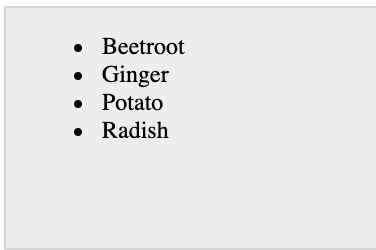
An unordered list is a collection of items that are related and do not have any special arrangement or sequence. This kind of list can be created just by making use of the HTML <ul> tag. Every single item in the unordered list is displayed with a bullet.
Example
<!DOCTYPE html> <html> <head> <title>HTML Unordered List</title> </head> <body> <ul> <li>Beetroot</li> <li>Ginger</li> <li>Potato</li> <li>Radish</li> </ul> </body> </html>
The above code will be displayed as:
The type attribute
This is an HTML attribute for <ul> tag to used to specify the style of bullet you like your list items to be displayed with. The default list type is a disc. The following are the available style of bullets:
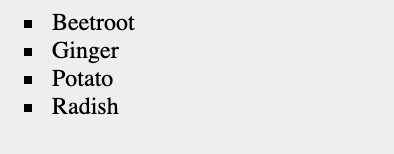
<ul type = "square">
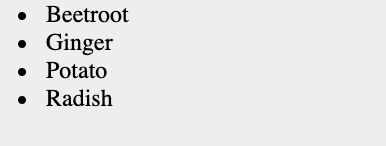
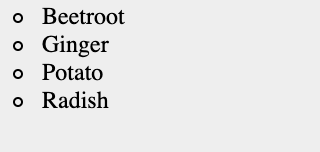
<ul type = "disc">  <ul type = "circle">
Example
Here is an example where the Unordered list type is square:
<!DOCTYPE html> <html> <head> <title>HTML Unordered List</title> </head> <body> <ul type = "square"> <li>Beetroot</li> <li>Ginger</li> <li>Potato</li> <li>Radish</li> </ul> </body> </html>
The above code will be displayed as:
Example Two
Here is an example where the Unordered list type is disc:
<!DOCTYPE html> <html> <head> <title>HTML Unordered List</title> </head> <body> <ul type = "disc"> <li>Beetroot</li> <li>Ginger</li> <li>Potato</li> <li>Radish</li> </ul> </body> </html>
The above code will be displayed as:
Example Three
Here is an example where the Unordered list type is a circle:
<!DOCTYPE html> <html> <head> <title>HTML Unordered List</title> </head> <body> <ul type = "circle"> <li>Beetroot</li> <li>Ginger</li> <li>Potato</li> <li>Radish</li> </ul> </body> </html>
The above code will be displayed as:
HTML Ordered Lists
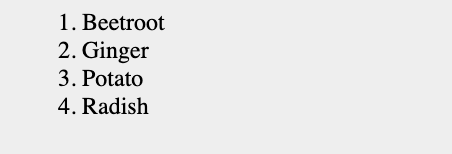
If you eventually have to display your list in a numbered or order arrangement and not unordered or bulleted, then you can use the HTML ordered list tag. This list is generated by using <ol> HTML tag. The numbering of the list begins at one and it increases by one for each successive ordered list element that has the <li> tag
Example
<!DOCTYPE html> <html> <head> <title>HTML Ordered List</title> </head> <body> <ol> <li>Beetroot</li> <li>Ginger</li> <li>Potato</li> <li>Radish</li> </ol> </body> </html>
The above code will be displayed as:
-

CCTV Course and Certification
April 22, 2019 -
Computer Engineering Course and Certification
March 23, 2019 -
Oracle 11G - Database Admin Course and Certification
July 4, 2019 -
AutoCAD Course and Certification
January 1, 2019 -
Artificial Intelligence Course and Certification
July 9, 2019